Understanding TradingView's Core Features
In the fast-paced world of trading, having the right tools at your disposal can significantly influence your success. TradingView stands out as an all-encompassing platform designed to meet the needs of traders across various markets, including stocks, forex, and cryptocurrencies. By streamlining the research process, it allows traders to consolidate their strategies into a cohesive workflow. TradingView empowers users to turn complex market data into actionable insights, enabling a seamless transition from market observation to strategy validation.
What is TradingView and How Does It Work?
TradingView is a cloud-based platform that combines advanced charting tools, social networking features, and comprehensive data analytics all in one accessible interface. This platform facilitates various trading activities, from old-school stock trading to modern cryptocurrency exchanges. Users can create customized charts, apply technical indicators, and monitor real-time market conditions without needing to install bulky software. Its compatibility across devices—including desktops, tablets, and smartphones—ensures that traders can manage their portfolios on the go.
Key Tools for Traders on TradingView
- Charting Tools: With a vast array of chart types and overlays, traders can visualize data in ways that best fit their strategies, whether using candlestick patterns, bar charts, or line graphs.
- Pine Script: This proprietary scripting language allows users to create custom indicators and strategies, enhancing the platform's functionality to meet specific trading needs.
- Screeners: Traders can utilize stock, forex, and cryptocurrency screeners to filter potential investments based on crucial metrics such as price changes, volume, and technical indicators.
- Alerts and Notifications: Users can set price alerts or receive notifications based on technical indicator triggers, ensuring they never miss a critical market movement.
Benefits of Using TradingView for Market Research
One of the primary advantages of TradingView is the ability to conduct comprehensive market research in one location. Its unified platform eliminates the need to switch between multiple applications, saving time and enhancing efficiency. Additionally, the social aspect of TradingView allows traders to share insights and strategies, fostering a collaborative trading environment. This community-driven approach can provide fresh perspectives, which can be vital for developing robust trading strategies.
Developing a Trading Strategy with TradingView
Creating a solid trading strategy requires a deep understanding of market mechanics and an integrated approach to research. TradingView facilitates this process through its extensive array of tools and resources.
How to Set Up Your Trading Dashboard
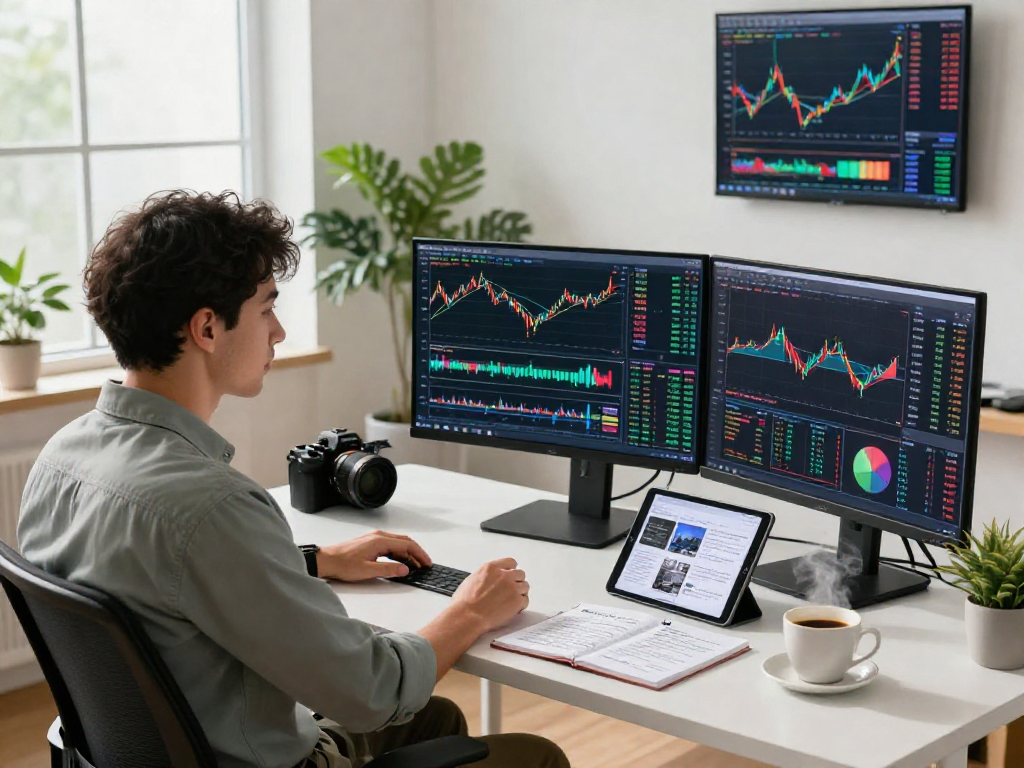
A well-organized TradingView dashboard is essential for efficient market analysis. Start by selecting relevant widgets such as real-time charts, news feeds, and economic calendars. Users can customize their dashboard layout based on personal preferences, ensuring that critical information is readily accessible. Adapt your workspace to feature multi-screen layouts if you are a dedicated trader, allowing you to monitor different assets simultaneously without losing focus.
Using Technical Indicators and Chart Patterns
To enhance your trading strategy, incorporate various technical indicators such as Moving Averages, Relative Strength Index (RSI), and Bollinger Bands. Understanding these indicators allows traders to identify potential entry and exit points based on quantitative data rather than gut feelings. Furthermore, combining these indicators with chart patterns, such as head and shoulders or flags, can provide additional confirmation of market trends.
Backtesting Strategies on TradingView
Backtesting is a critical component of strategy development. TradingView's Strategy Tester enables users to simulate their trading strategies over historical data, allowing traders to evaluate performance metrics such as win rates, drawdowns, and risk-reward ratios. This process is invaluable for refining strategies before applying them in live markets, ensuring a well-researched approach to trading.
Optimizing Your Trading Experience
A successful trading experience is defined not only by the effectiveness of your strategies but also by how you leverage the tools available on TradingView.
Customizing Alerts and Notifications
Utilizing TradingView's alert system allows traders to stay informed about market changes without constantly monitoring charts. Users can customize alerts based on price levels, technical indicators, or Pine Script conditions, ensuring that they receive timely updates on their trades or watchlists.
Integrating Pine Script for Advanced Trading
Pine Script empowers users to go beyond standard indicators. By creating custom scripts, traders can tailor their trading strategies to suit specific needs. Test your scripts within the Strategy Tester to validate their performance on historical data before employing them in real-time trading.
Utilizing Multi-screen Layouts for Efficiency
For those who engage in extensive market analysis or multi-asset trading, utilizing multi-screen layouts can vastly improve workflow efficiency. TradingView supports multiple charts and layouts, which helps keep relevant information visible at all times and reduces the time spent switching between views.
Community and Collaboration on TradingView
The power of community insights cannot be understated. TradingView provides a social platform where traders can collaborate and share ideas, which can significantly enhance analysis and strategy development.
Accessing User-generated Trading Ideas
Explore the insights shared by other traders in the TradingView community. By reviewing their analyses, you can gain new perspectives on market trends and potentially integrate those insights into your strategies. The public library of scripts and ideas can serve as a rich resource for traders at any experience level.
Participating in the TradingView Community
Engagement in community discussions is beneficial not just for gaining knowledge but also for networking with other traders. By engaging in these discussions, you can refine your strategies through peer feedback and learn about market nuances that you may not have considered.
Collaborative Tools for Group Analysis
Discussion forums, chart sharing, and collaborative tools available on TradingView offer traders the ability to analyze markets collectively. These tools can be especially useful for educational purposes, where experienced traders can mentor novices and help them grasp complex trading concepts.
The Future of Trading Technology in 2026
The trading landscape is rapidly evolving, and staying ahead of technological advancements is crucial for traders who wish to maintain a competitive edge. As we look toward 2026, several emerging trends highlight the future of trading technology.
Emerging Trends in Financial Technology
Technological advancements, including AI-driven analytics, machine learning algorithms for predictive trading, and automated trading bots, are reshaping how traders interact with the markets. These innovations provide traders with enhanced capabilities, enabling them to analyze vast datasets and execute trades with greater precision.
How TradingView is Adapting to New Market Conditions
To remain relevant, TradingView continuously updates its offerings to adapt to changing market dynamics. Features such as improved charting tools, enhanced community interaction, and real-time data analysis are examples of how TradingView aligns with the trends shaping modern trading.
Preparing for the Future of Trading Analytics
As trading becomes increasingly data-driven, traders will need to harness data analytics tools offered by platforms like TradingView to make informed decisions. Familiarizing yourself with these analytics will be pivotal for success in the fast-evolving landscape of trading.
What is Pine Script and How to Use It?
Pine Script is an integral part of TradingView, allowing users to create custom indicators and strategies. This scripting language is designed to be user-friendly, enabling even those with minimal programming knowledge to develop tailored trading solutions. By leveraging Pine Script, traders can enhance their operational efficiency and personalize their trading strategies.
How to Maximize the Benefits of TradingView?
To get the most out of TradingView, take the time to customize your settings, explore the available educational materials, and actively engage with the community. Experimenting with various features and tools will equip you with the knowledge needed to refine your trading strategies effectively.
What Features Make TradingView Stand Out?
TradingView's standout features include its powerful charting options, extensive community support, and the ability to create and test custom strategies using Pine Script. The platform's integration of real-time data and user-friendly interface makes it an ideal choice for both novice and experienced traders alike.
How to Use TradingView for Cryptocurrency Trading?
Using TradingView for cryptocurrency trading involves leveraging its comprehensive charting tools and market data specific to different cryptocurrencies. Utilizing the platform's alert system can help traders stay updated on price movements and market trends, ensuring they capitalize on trading opportunities without constant monitoring.
How to Troubleshoot Common TradingView Issues?
If you encounter issues while using TradingView, first check the platform's help center for troubleshooting tips. Common problems may relate to browser compatibility or account settings. Ensuring that your browser is updated and clearing cache can often resolve technical glitches quickly.